Share on YP.com
Print
Created by: Christine Testing
Modified on: Thu, May 11, 2017 at 1:05 PM
-
Click Share Storefront in your Company Dashboard menu.

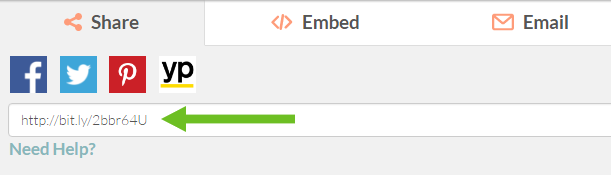
-
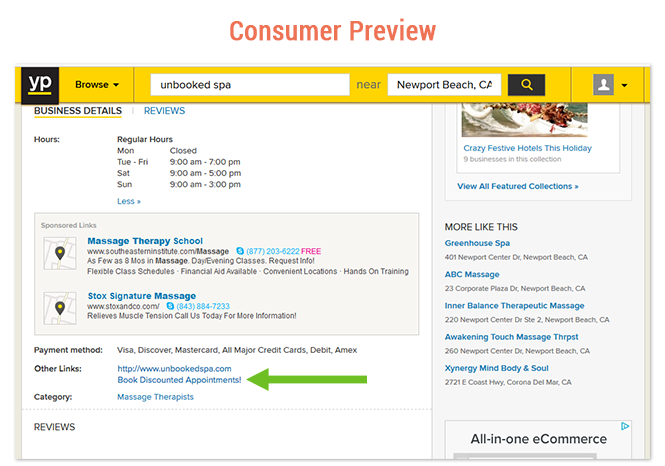
Login to your YP.com Listing and click on the Core Details tab.
- Click + Website under the “Websites” section.
-
Paste your copied link into the Additional URL field and enter your desired call-to-action in the Description field (these words will be the link customers click to visit your Storefront).

Christine is the author of this solution article.
Did you find it helpful?
Yes
No
Send feedback Sorry we couldn't be helpful. Help us improve this article with your feedback.