To Change Discount/Premium Applied to Slow, Busy, Regular Times:
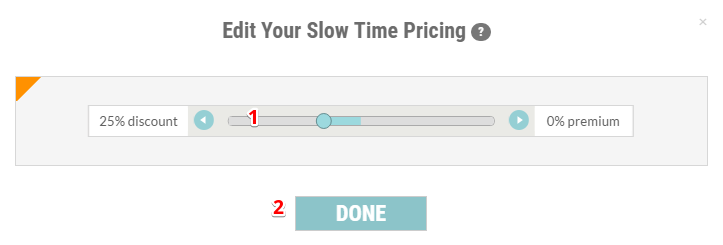
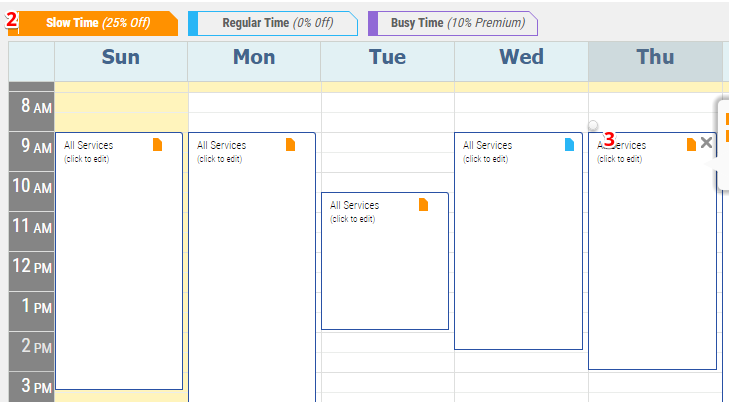
- Double click on a Pricing Type (Slow, Busy, Regular) to change the discount/premium.
- Drag slider to new desired discount/premium.
- Click Done.
- The percentage displayed next to the pricing type in the upper left corner will update to show the new percentage. Click on any time block for that pricing type to see the price of each service has updated reflecting the new percentage.
To Define New Slow/Busy/Regular Times:
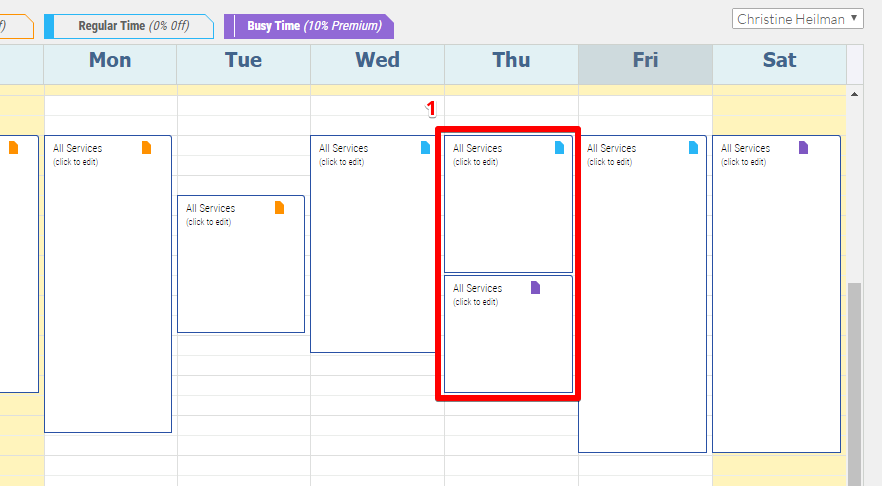
To change your pricing you must first remove the existing pricing "blocks" from the day(s) you want to change, then add the new pricing time blocks you wish to offer.
- Remove all time blocks from the day(s) you want to change.
- Define new slow, busy, and regular blocks of time.
- Click Save. (If you do not click Save, your pricing will not change).
Change a Specific Service's Pricing During a Time Block to Differ From All Other Services:
- Go to the Pricing page.
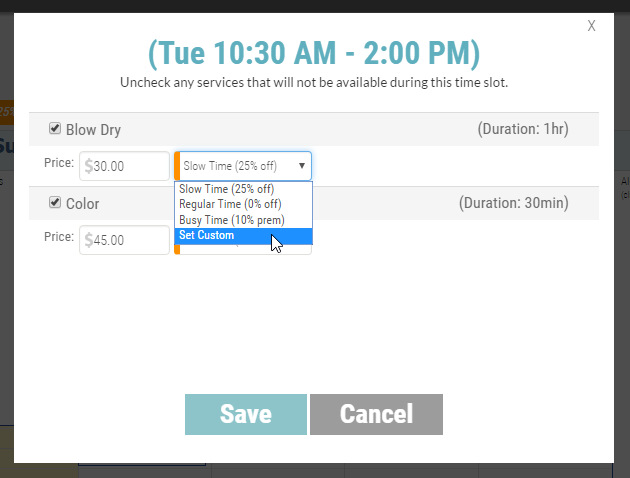
- Click on a time block to view the pricing for each individual service during that block of time. Find the service you want to differ.
- To offer an existing slow/busy/regular time pricing select it from the drop down.
- To offer a unique discount select Custom and enter the discount percentage you want to offer.
- Click "Save". (If you do not click Save, your prices will not change).
- You'll see that time block now displays two color swatches in the upper right corner denoting the 2 types of pricing now offered during that time.